Build an AI Agent Using Gemma 4 + n8n: The Zero-Token Workflow Blueprint
Build an AI Agent Using Gemma 4 + n8n: The Zero-Token Workflow Blueprint
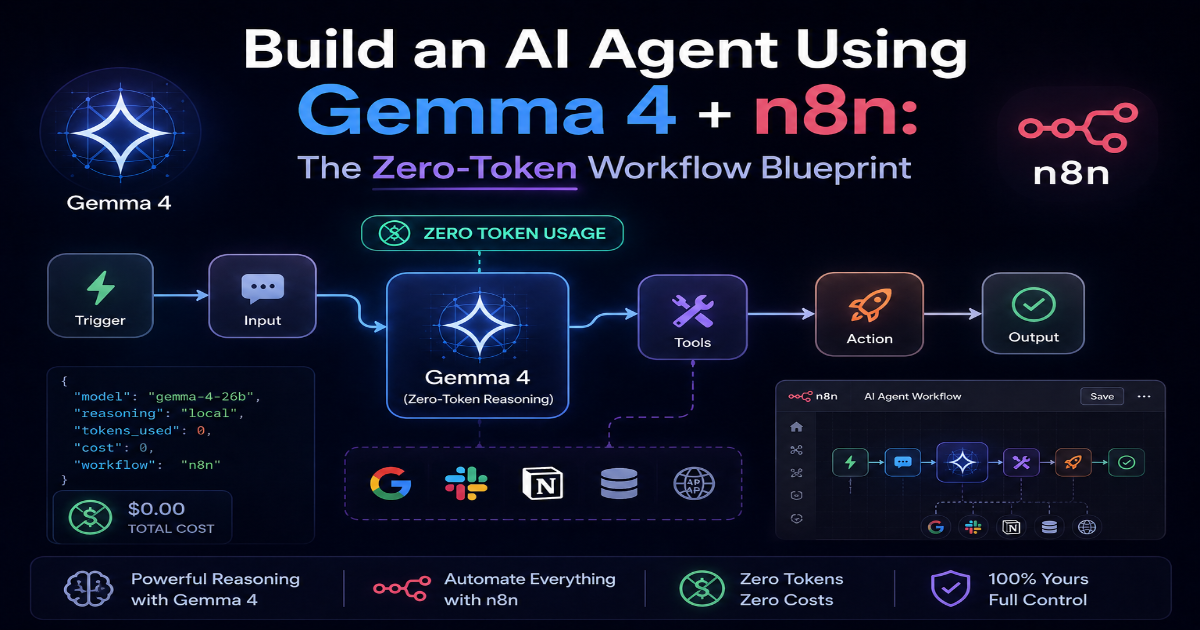
What you'll build: A self-healing, multi-step customer support and data routing agent that triggers on incoming webhooks, parses structured data, calls external APIs via tools, and autonomously routes outcomes — powered by Gemma 4 26B-A4B and wired together visually in n8n. No per-token billing. No DevOps debt. Just a production-ready autonomous workflow.
1. The Power of Low-Code + Open Weights
Two things happened in early 2026 that changed what's possible for automation engineers.
First, Google DeepMind released Gemma 4 26B-A4B on April 2, 2026 under a fully permissive Apache 2.0 license — a frontier-quality open-weight model with native function calling, constrained JSON output, and a 256K context window, free for commercial use with no usage restrictions.
Second, n8n solidified its position as the premier workflow automation platform for developers — a visual canvas where you can wire webhooks, HTTP requests, AI nodes, databases, and custom code into production pipelines without sacrificing the flexibility of code-first control.
The intersection is powerful. n8n handles the visual orchestration — the data flow, the loop control, the conditional branching, the integrations. Gemma 4 26B handles the autonomous decision-making — the reasoning, the tool selection, the structured output generation, the multi-step planning.
Together, they form a complete autonomous agent stack. n8n is the nervous system. Gemma 4 is the brain.
What We're Building
A customer support and data routing agent that:
- Triggers on an incoming
Webhook(e.g., a new support ticket from your CRM or helpdesk) - Uses
Gemma 4 26Bto classify intent, extract entities, and plan a resolution path - Calls external tools — a knowledge base lookup via
HTTP Request, a ticket update API, a Slack notification - Routes the resolved output to the appropriate team channel or database
- Loops back and re-evaluates if tool outputs require additional reasoning steps
This is a production-grade agentic pattern — not a chatbot, not a one-shot classifier. A real ReAct loop with tool use.
2. Step-by-Step Architecture: The n8n Agent Canvas
Step 1 — The Trigger Node
Start with a Webhook node as your entry point. This fires the agent whenever a new support ticket lands.
Configuration:
- HTTP Method:
POST - Path:
/support-agent - Response Mode:
When Last Node Finishes - Authentication: Header Auth (set a secret for production)
Your incoming payload should be structured. Here's the expected shape:
{
  "ticket_id": "TKT-4821",
  "customer_email": "user@example.com",
  "subject": "API integration returning 401 on all requests",
  "body": "Since this morning all our API calls are returning 401. We haven't changed our keys. Urgent.",
  "priority": "high"
}
If you prefer scheduled batch processing over real-time webhooks, swap the
Webhooknode for aSchedule Triggernode. Set it to run every 15 minutes and feed it aRead From Databasenode to pull unresolved tickets. The rest of the canvas stays identical.
Step 2 — The Advanced AI Agent Node
Add an AI Agent node from the n8n node panel. This is the core orchestration node that runs the ReAct loop.
Key configuration inside the AI Agent node:
- Agent Type:
Tools Agent(enables the full ReAct framework — Reason, Act, Observe, loop) - System Message: Define the agent's role and output contract explicitly
You are a senior technical support agent. Your job is to:
1. Classify the incoming ticket into one of: [billing, api_error, account_access, feature_request, other]
2. Extract the customer's core technical problem in one sentence
3. Look up the knowledge base for relevant solutions using the kb_search tool
4. Draft a resolution response
5. Determine the correct routing team: [engineering, billing, account_management, product]

Always respond with a valid JSON object matching the output schema. Never guess — use tools to verify before responding.
- Max Iterations: Set to
8— enough for multi-step tool use without runaway loops - Return Intermediate Steps:
true— essential for debugging agent reasoning in development
Step 3 — Connecting the Model Provider
Inside the AI Agent node, drag in an OpenAI Compatible Chat Model sub-node. This is the connector between n8n and your Gemma 4 26B inference endpoint.
Configuration fields:
{
  "Base URL": "https://api.openllmbuddy.cloud/v1",
  "Model Name": "gemma-4-26b-a4b",
  "API Key": "YOUR_OPENLLM_BUDDY_KEY",
  "Temperature": 0.1,
  "Max Tokens": 2048
}
Set
Temperatureto0.1for agent workflows. Higher values introduce randomness into tool selection and JSON schema adherence — exactly what you don't want in a routing agent. Save creativity settings for generative content workflows.
Low temperature + Gemma 4's native constrained JSON decoding = reliable, schema-consistent output on every loop iteration.
Step 4 — Wiring Custom Tools
The AI Agent node needs tools to interact with the outside world. Add these as sub-nodes connected to the agent's Tools input:
Tool 1: Knowledge Base Search — HTTP Request node
{
  "Method": "POST",
  "URL": "https://your-kb-api.example.com/search",
  "Headers": {
    "Authorization": "Bearer {{ $env.KB_API_KEY }}",
    "Content-Type": "application/json"
  },
  "Body": {
    "query": "={{ $fromAI('search_query', 'The search query to look up in the knowledge base') }}",
    "top_k": 3
  }
}
The $fromAI() expression is n8n's native way of letting Gemma 4 dynamically populate tool parameters. The model decides what to search — the node executes it.
Tool 2: Ticket Update — HTTP Request node
{
  "Method": "PATCH",
  "URL": "=https://your-helpdesk.example.com/api/tickets/{{ $fromAI('ticket_id', 'The ticket ID to update') }}",
  "Body": {
    "status": "={{ $fromAI('status', 'New ticket status: open, pending, resolved') }}",
    "internal_note": "={{ $fromAI('note', 'Internal resolution note for the support team') }}",
    "routing_team": "={{ $fromAI('team', 'Team to route this ticket to') }}"
  }
}
Tool 3: Slack Notification — Slack node
Connect the built-in Slack node as a tool for high-priority escalations. Configure it with:
- Channel:
={{ $fromAI('channel', 'Slack channel name for escalation, e.g. #engineering-alerts') }} - Message:
={{ $fromAI('message', 'Escalation message content') }}
Step 5 — The Output Router
After the AI Agent node completes, add a Switch node to route based on the agent's structured output:
// Switch node conditions
{{ $json.output.routing_team === 'engineering' }}
{{ $json.output.routing_team === 'billing' }}
{{ $json.output.routing_team === 'account_management' }}
{{ $json.output.priority === 'critical' }}  // escalation override
Each branch connects to the appropriate downstream node — a database write, an email send, a Jira ticket creation, or a direct Slack escalation. The agent's reasoning drives the routing. You never hardcode classification logic.
3. The Financial Trap of Workflow Loops
Here's what the tutorial blog posts don't tell you.
The n8n ReAct agent loop you just built doesn't make one API call per workflow run. It makes 10 to 15 calls per run in realistic production conditions:
- Initial reasoning call — classify and plan
- Knowledge base tool call + result ingestion
- Re-reasoning with KB context
- Ticket update tool call
- Slack tool call (if escalation triggered)
- Final output generation and validation call
- Potential re-evaluation if any tool returns an error
Each call ingests the full conversation history to maintain context — including all prior tool outputs. By iteration 8, you're pushing 12,000–20,000 tokens per workflow run through the inference endpoint.
Now add production load.
- 500 support tickets per day
- 15,000 tokens per run average
- 7.5 million tokens per day
- At $15/million output tokens on a serverless API: $112.50/day — $3,375/month for one workflow
And that's before your context window grows as ticket history accumulates, before you add more tools, before you scale to multiple concurrent agent workflows.
A single production
n8nagentic workflow at moderate business scale can exhaust a startup's monthly AI budget in under a week on pay-per-token infrastructure.
The alternative — self-hosting Gemma 4 26B's 128-expert MoE architecture on bare GPU instances — introduces its own trap: cold starts degrading webhook response times, idle VRAM waste overnight when ticket volume drops, and vLLM MoE routing configurations that require dedicated infrastructure engineering to run correctly. Small teams trade token invoices for oncall incidents.
Neither path is sustainable without the right infrastructure layer.
4. Powering n8n for Free with OpenLLM Buddy
OpenLLM Buddy is the missing infrastructure layer between your n8n canvas and production-grade Gemma 4 26B inference.
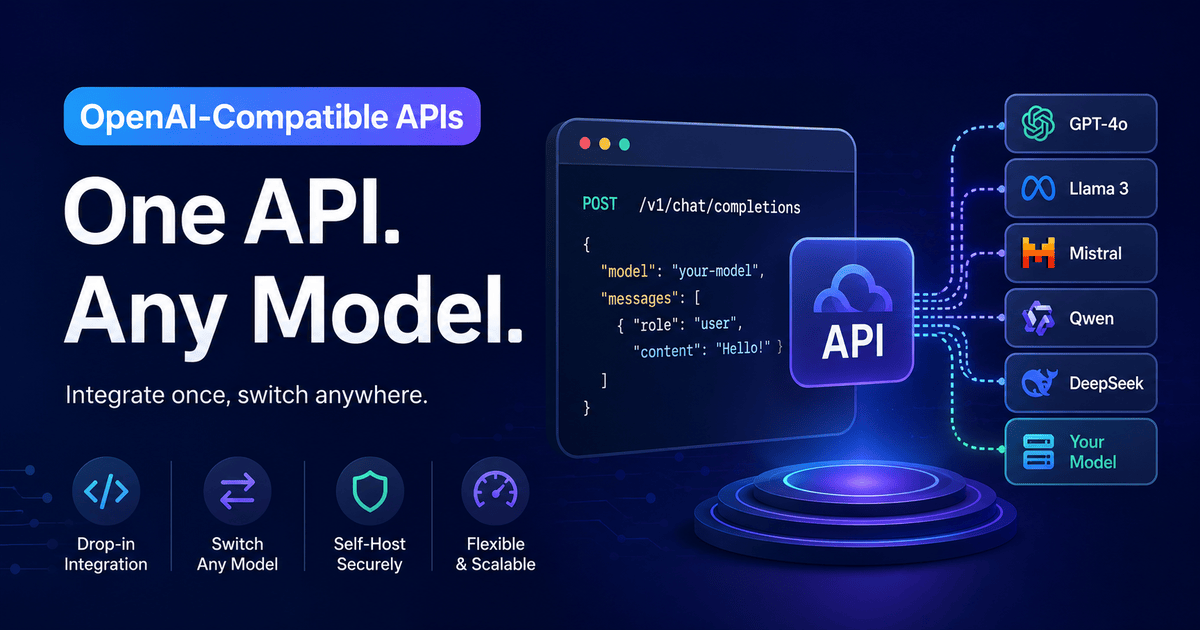
The platform acts as a pre-orchestrated abstraction over RunPod compute — handling the full MoE routing, KV cache optimization, and hardware provisioning automatically. You get a production-ready, OpenAI-compatible endpoint pointed at dedicated NVIDIA RTX 4090 or RTX 5090 hardware. No vLLM configuration. No cold start management. No idle billing windows.
The Core Value Proposition
Token consumption within your n8n loops is 100% free. You pay only for raw GPU compute time.
No input token charge. No output token charge. Your 15-call ReAct loop generating 20,000 tokens per workflow run costs exactly the same as a single 200-token call — because neither is metered. The billing clock measures silicon runtime, not token throughput.
Configuration — OpenAI Compatible Chat Model Node in n8n
Replace the model sub-node configuration with:
{
  "Base URL": "https://api.openllmbuddy.cloud/v1",
  "Model Name": "gemma-4-26b-a4b",
  "API Key": "YOUR_OPENLLM_BUDDY_KEY",
  "Temperature": 0.1,
  "Max Tokens": 2048
}
That's the entire migration. Every $fromAI() expression, every tool definition, every Switch node condition — unchanged. You've moved from a metered serverless endpoint to dedicated flat-rate GPU compute in a single configuration update.
Pricing That Matches Workflow Economics
| Plan | Gemma 4 26B (RTX 4090) | Qwen 3.6 27B (RTX 5090) |
|---|---|---|
| 11 Hours | $10 | $14 |
| 24 Hours | $22 | $31 |
| 1 Week | $150 | $212 |
| 1 Month | $599 | $845 |
Both plans auto-terminate on uptime quota — no idle billing when your overnight ticket volume drops to zero. Your n8n workflows run continuously, your loops iterate as deeply as the task demands, and your monthly AI infrastructure cost is a fixed line item on the budget — not a variable that scales with every token your agent thinks.
500 tickets/day × 15,000 tokens/run = 7.5M tokens/day. On OpenLLM Buddy: still $22 for the 24-hour block. On a pay-per-token API: $112.50/day.
Build Infinite Loops. Pay for Silicon. Nothing Else.
You now have the complete architecture:
Webhooktrigger →AI Agent(ReAct, 8 iterations) →Gemma 4 26BviaOpenLLM Buddy→ three wired tools (HTTP RequestKB search, ticket update, Slack escalation) →Switchrouter → downstream actions
The agent classifies, reasons, calls tools, updates records, routes outcomes, and escalates critical issues — entirely autonomously. No hardcoded logic. No human in the loop for standard tickets.
And when it runs 15 API calls to resolve a complex multi-step ticket, you don't pay 15 times. You pay for the GPU minutes it took. Period.
Connect your n8n instance to OpenLLM Buddy today. Swap the base_url. Run your loops as deep as the task demands. Build the workflows you actually want to build — without the token counter running in the background of every design decision.