How to Run Gemma 4 Locally Using Ollama: The Complete Developer Guide
How to Run Gemma 4 Locally Using Ollama: The Complete Developer Guide
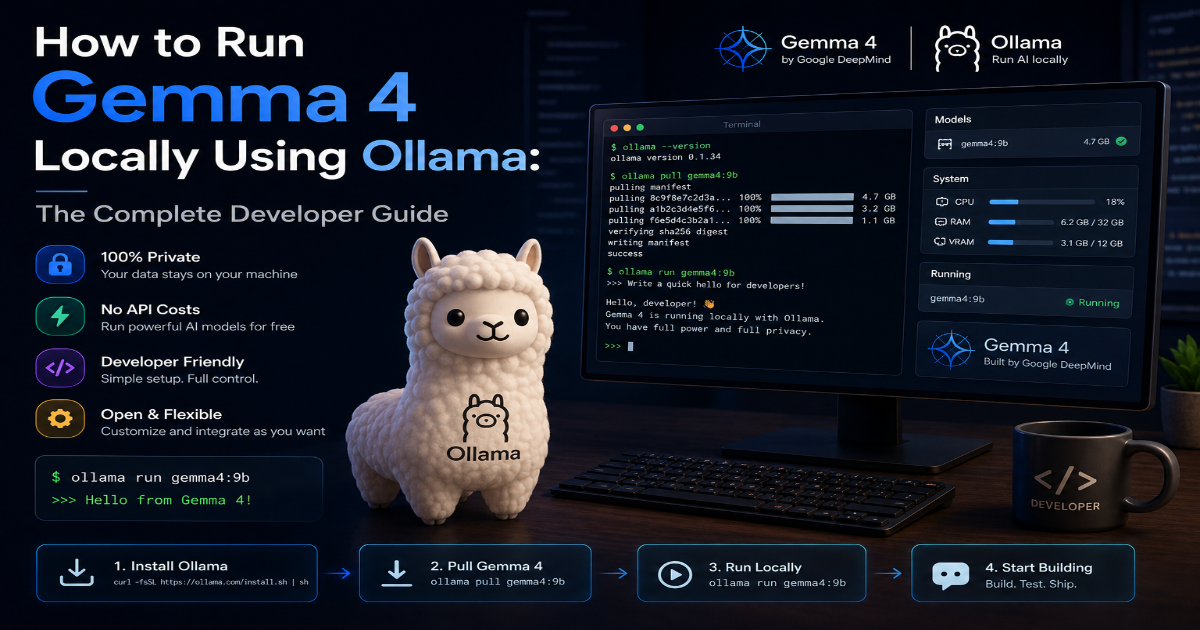
Google DeepMind released Gemma 4 on April 2, 2026, under the Apache 2.0 license — full commercial freedom, no MAU caps, no hidden restrictions. When paired with Ollama, you get a local-first AI runtime that delivers 100% data privacy, zero API latency, and complete digital sovereignty.
No per-token fees. No rate limits. Just your hardware and the model.
This guide walks you through hardware selection, installation, optimization, and production-ready execution of Gemma 4 on your local machine using Ollama.
1. Local Sovereignty with Gemma 4
The Ollama + Gemma 4 stack gives you engineering advantages that cloud APIs cannot match:
- Complete data privacy — sensitive code, proprietary logic, and customer data never leave your workstation. No surprise data retention policies.
- Zero network latency — inference runs entirely on local silicon. No round-trip to a remote API endpoint.
- No recurring token fees — you pay for hardware once (or rent it). Every subsequent query costs zero marginal dollars.
- Full licensing freedom —
Apache 2.0means you can build commercial products, fine-tune without restrictions, and deploy to edge devices without legal review.
Gemma 4 ships with a 256K token context window and native reasoning layers. However, these capabilities require specific setup rules when running on consumer hardware. The guide below maps every variant to the right silicon.
Critical Warning: The dense
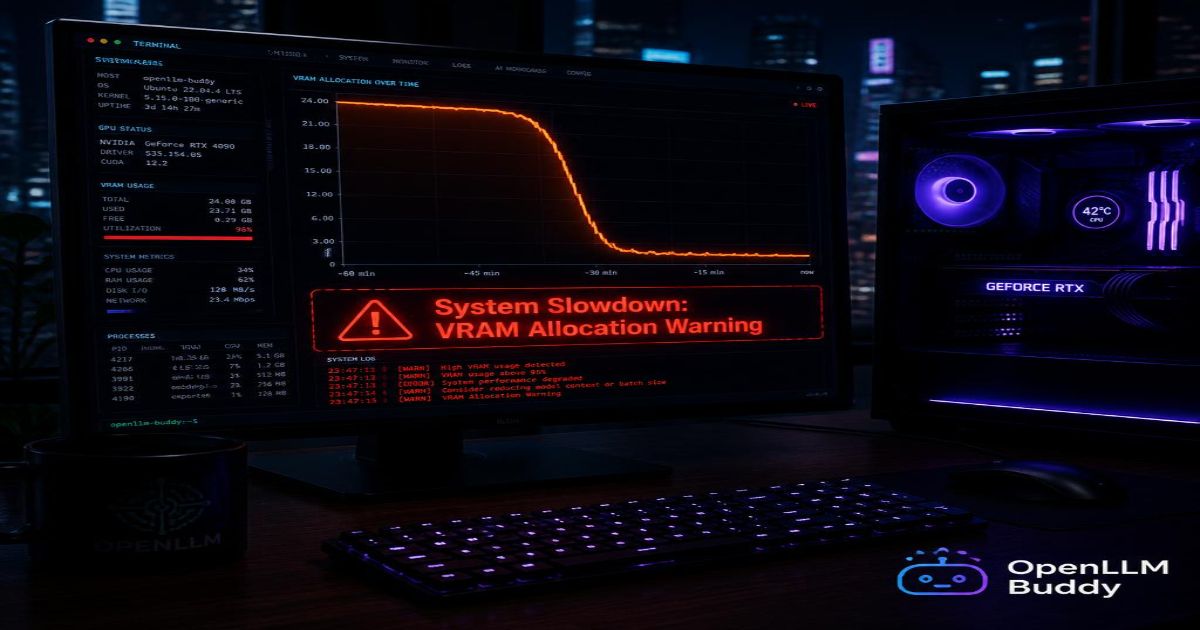
31Bmodel requires 24+ GB of VRAM. Attempting to run it on an 8 GB GPU will causeOllamato spill into system RAM, dropping inference speed below 1 token/sec.
2. Hardware Mapping & Choosing Your Model Size
Ollama tags Gemma 4 variants using the official Hugging Face naming convention. Choose based on your available VRAM and use case.
| Model Tag | Active Params | Total Params | Minimum VRAM | Best Use Case |
|---|---|---|---|---|
gemma4:e2b | 2.3B | 5.1B | 4 GB | Lightweight laptops, edge testing, API prototyping |
gemma4:e4b | 4.5B | 8B | 8 GB | Mid-range dev laptops, RAG applications |
gemma4:26b | 3.8B (MoE) | 25.2B | 16-24 GB | Daily driver on RTX 3090/4090, M-series Max |
gemma4:31b | 30.7B (Dense) | 30.7B | 24+ GB | Heavy reasoning, agentic workflows, multi-GPU setups |
Detailed Hardware Requirements
gemma4:e2b (Effective 2B)
- Fits in under 1.5 GB with 2-bit quantization
- Runs on Raspberry Pi 5 (8 GB), Intel NUCs, and ARM Chromebooks
- Sustains 7-8 tokens/sec decode on edge hardware
gemma4:e4b (Effective 4B)
- Requires 12-16 GB unified memory on Apple Silicon
- Runs comfortably on any laptop with 8 GB dedicated VRAM (RTX 2060+)
- Our M2 Ultra tests showed 38 tokens/sec at int4 via MLX
gemma4:26b (MoE)
- Activates only 3.8B parameters per token — effectively 12% of dense FLOPs
- Achieves 97% of the
31Bmodel's quality at a fraction of compute - Requires a single RTX 4090 (24 GB) : sustained 95 tokens/sec at fp8 via
vLLM - Runs on 16 GB cards with aggressive quantization (Q4_K_M)
gemma4:31b (Dense Flagship)
- Requires 2× RTX 4090 with tensor parallel, or a single H100 (80 GB)
- Int4 quantization fits on a single 24 GB card but sacrifices some reasoning depth
- Codeforces ELO of 2150 — top 3% of human competitive programmers
Apple Silicon Note: Use
MLX-optimized builds for M-series chips. The standardOllamabinary works, butmlx-community/gemma-4-26b-a4bdelivers 2-3x higher token throughput.
3. Step-by-Step Installation & Execution
3.1 Install Ollama
Linux (Ubuntu/Debian/Fedora/Arch)
# Standard installation script
curl -fsSL https://ollama.com/install.sh | sh

# Verify installation
ollama --version
# Expected output: ollama version 0.6.4 or higher
macOS (Intel + Apple Silicon)
# Using Homebrew (recommended)
brew install ollama

# Or download the .app bundle from ollama.com/download
Windows (WSL2 Required)
# From an elevated PowerShell terminal
winget install Ollama.Ollama

# For native Windows (preview), download the .exe installer
# https://ollama.com/download/OllamaSetup.exe
3.2 Start the Ollama Service
# Linux (systemd)
sudo systemctl start ollama
sudo systemctl enable ollama  # auto-start on boot

# macOS (launchctl)
brew services start ollama

# Verify service is running
curl http://localhost:11434/api/tags
# Returns empty JSON array if no models installed yet
3.3 Pull the Gemma 4 Model Variant
Choose your variant and execute:
# Lightweight edge deployment (2B effective)
ollama pull gemma4:e2b

# Mid-range laptop (4B effective)
ollama pull gemma4:e4b

# Development workstation sweet spot (26B MoE)
ollama pull gemma4:26b

# Full dense flagship (31B)
ollama pull gemma4:31b
Verification: After pull completes, run ollama list to confirm the model appears:
ollama list
# NAME            ID              SIZE      MODIFIED
# gemma4:26b      8c9f8c4e1a2b    14 GB     2 minutes ago
3.4 First Execution & Interactive Chat
Launch your chosen variant:
ollama run gemma4:26b
You should see:
>>> Send a message (/? for help)
Test with a reasoning prompt:
>>> Explain the difference between sliding-window attention and global attention in Gemma 4's architecture.
3.5 Configure for GPU Acceleration (Linux/WSL)
By default, Ollama uses all available GPUs. To restrict or specify devices:
# Set environment variable before starting ollama (Linux)
export OLLAMA_NUM_GPU=1
export CUDA_VISIBLE_DEVICES=0   # Use only first GPU

# Restart the service
sudo systemctl restart ollama

# Verify GPU detection
ollama run gemma4:26b --verbose
# Look for: "system info: GPU total memory = 24 GiB, compute capability = 8.9"
For multi-GPU setups with the 31B dense model:
# Force tensor parallelism across two GPUs
export OLLAMA_GPU_OVERHEAD=0
export CUDA_VISIBLE_DEVICES=0,1
sudo systemctl restart ollama

# Monitor VRAM usage
nvidia-smi -l 1
Critical VRAM Allocation:
Ollamareserves approximately 70% of reported GPU memory by default. Forgemma4:31bon a single 24 GB card, setOLLAMA_GPU_OVERHEAD=2048(2 GB reserved for OS) to prevent out-of-memory crashes during 128K context windows.
4. Production-Ready Configuration
4.1 Enable API Server for External Tooling
By default, Ollama exposes a REST API on http://localhost:11434. Test it:
# Generate a response programmatically
curl http://localhost:11434/api/generate -d '{
  "model": "gemma4:26b",
  "prompt": "Write a Python function to calculate Fibonacci numbers recursively",
  "stream": false
}'
4.2 Optimize Context Window for Long Documents
Gemma 4 supports up to 256K tokens. Configure via the API:
curl http://localhost:11434/api/generate -d '{
  "model": "gemma4:26b",
  "prompt": "Summarize this 150K token document...",
  "options": {
    "num_ctx": 256000,
    "num_predict": 4096
  }
}'
Performance Note: Each doubling of
num_ctxincreases VRAM usage by approximately 30-40% and reduces token throughput by 15-25%. Start withnum_ctx: 32768for most agentic workloads.
4.3 Create a Custom Modelfile for System Prompts
Save the following as Gemma4-Coder.Modelfile:
FROM gemma4:26b

# Set system prompt for coding agent
SYSTEM You are a senior software engineer. Output only working code with comments.
          Never include explanatory text outside code blocks.

# Increase context and token limits
PARAMETER num_ctx 128000
PARAMETER num_predict 8192
PARAMETER temperature 0.2
PARAMETER top_p 0.9

# Force deterministic JSON output
TEMPLATE """{{ if .System }}system: {{ .System }} {{ end }}
user: {{ .Prompt }}
assistant: Ensure output is valid JSON with fields: "explanation", "code", "tests" """
Build and run the custom model:
ollama create gemma4-coder -f ./Gemma4-Coder.Modelfile
ollama run gemma4-coder
5. Troubleshooting Common Issues
| Issue | Diagnosis | Fix |
|---|---|---|
ollama: command not found | Binary not in $PATH | Re-run installer or add /usr/local/bin to path |
| Model loads but generates gibberish | Corrupted model pull | ollama rm gemma4:26b then ollama pull gemma4:26b |
| CUDA out of memory during inference | VRAM fragmentation | Reduce num_ctx or add OLLAMA_GPU_OVERHEAD=2048 |
| Slow token generation (<5 t/s) | CPU fallback (GPU not detected) | Verify nvidia-smi, set CUDA_VISIBLE_DEVICES, restart ollama |
API returns 500 Internal Server Error | Model not fully loaded | Wait 10 seconds after ollama run before sending API requests |
6. Next Steps
- Integrate
Ollamawith Continue.dev for IDE code completion usinggemma4:26b - Build an agentic loop with LangChain using
http://localhost:11434as the endpoint - Quantize further:
ollama run gemma4:26b --quantize q4_k_mto fit on 16 GB cards - For cloud-grade performance without hardware purchase, explore OpenLLM Buddy — same
Gemma 4models on RTX 4090/5090 with free tokens and zero deployment overhead.
Your local Gemma 4 instance is now running. No per-token bills. No API rate limits. Complete sovereignty over your AI stack.